How to Watch the 2026 F1 United States Grand Prix
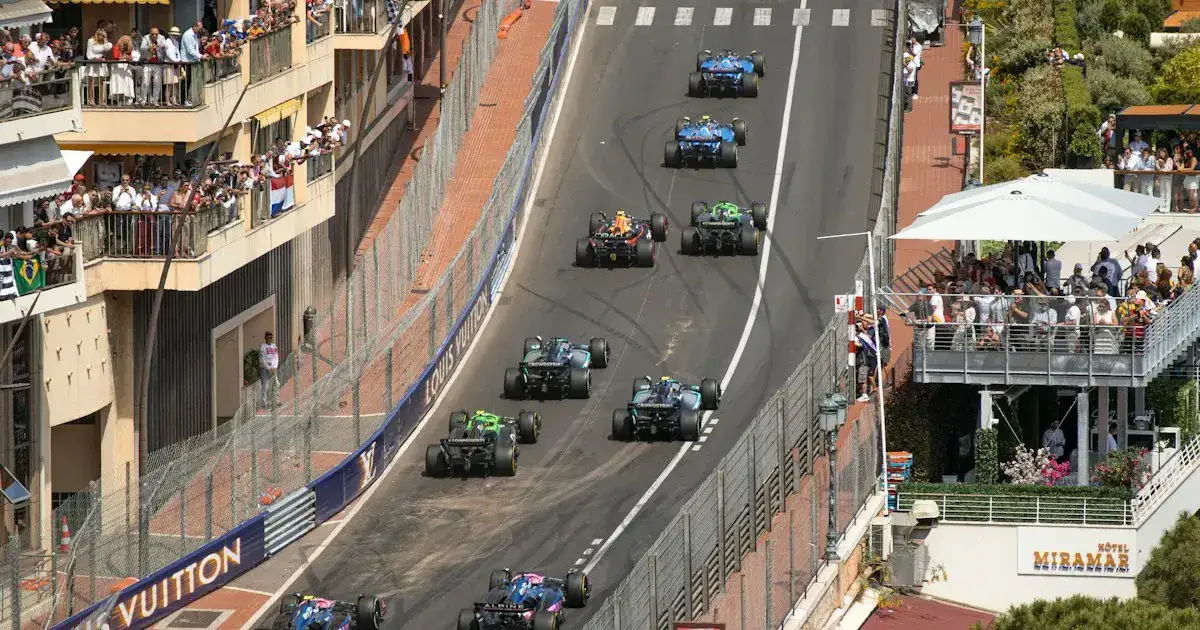
The 2026 Formula 1 United States Grand Prix takes place October 23-25 at Circuit of The Americas in Austin, Texas, with the Grand Prix scheduled for Sunday, October 25 at 3:00 p.m. local time. For U.S. viewers, the major 2026 change is the broadcast home: Formula 1 and Apple announced Apple TV as the exclusive U.S. broadcast partner beginning with the 2026 season. Check Formula1.com for the session timetable and Apple TV for the live viewing page before each session.
Table of contents
Quick answer
If you are in the United States and want to watch the 2026 F1 United States Grand Prix, plan around Apple TV and the official Formula 1 timetable. The race weekend at COTA starts with Practice 1 and Practice 2 on Friday, October 23, continues with Practice 3 and Qualifying on Saturday, October 24, and finishes with the 56-lap Grand Prix on Sunday, October 25. Formula1.com lists Austin as five hours behind UTC and states that the timetable is subject to change.
Unlike older U.S. F1 viewing guides, this one does not point you to ESPN as the default. Formula 1 announced a five-year Apple partnership making Apple the exclusive U.S. broadcast partner from 2026, and Apple's 2026 season coverage says Formula 1 is live on Apple TV in the U.S. For a live session, open Apple TV, search for Formula 1 or the United States Grand Prix, and confirm the session tile before the start time.
This article is for U.S. viewers who need a race-weekend answer quickly. It focuses on session times, time-zone conversion, Apple TV access, F1 TV context, device readiness, and what to check if weather, support-series delays, or app listings create confusion. flash4kiptv readers can use it as a practical race-weekend command center rather than a generic Formula 1 history lesson.
2026 U.S. Grand Prix weekend schedule
Formula1.com's official timetable for the 2026 United States Grand Prix shows a traditional non-Sprint weekend: three practice sessions, qualifying, and the race. The local times below are Austin times. Eastern, Mountain, and Pacific conversions are added for U.S. viewers planning from home.
| Session | Date | Austin time | ET | MT | PT | U.S. viewing path |
|---|---|---|---|---|---|---|
| Practice 1 | Fri, Oct. 23 | 12:30-1:30 p.m. | 1:30-2:30 p.m. | 11:30 a.m.-12:30 p.m. | 10:30-11:30 a.m. | Apple TV; verify session tile. |
| Practice 2 | Fri, Oct. 23 | 4:00-5:00 p.m. | 5:00-6:00 p.m. | 3:00-4:00 p.m. | 2:00-3:00 p.m. | Apple TV; check replay options if working. |
| Practice 3 | Sat, Oct. 24 | 12:30-1:30 p.m. | 1:30-2:30 p.m. | 11:30 a.m.-12:30 p.m. | 10:30-11:30 a.m. | Apple TV. |
| Qualifying | Sat, Oct. 24 | 4:00-5:00 p.m. | 5:00-6:00 p.m. | 3:00-4:00 p.m. | 2:00-3:00 p.m. | Apple TV; start early for build-up. |
| Grand Prix | Sun, Oct. 25 | 3:00 p.m. | 4:00 p.m. | 2:00 p.m. | 1:00 p.m. | Apple TV live race coverage. |
The race is listed for 56 laps or a 120-minute maximum. COTA's lap is 5.513 kilometers, with a race distance of 308.405 kilometers. Those numbers matter less for finding the broadcast than the session start time, but they help explain why the race broadcast window runs longer than a simple two-hour calendar block.
Friday, Saturday, Sunday viewing priorities
Friday is useful if you want context. Practice 1 gives the first public read on balance, tire warm-up, and driver comfort. Practice 2 is usually more valuable for race preparation because the track has rubbered in and teams can compare longer runs. If you cannot watch live, a replay or highlights package from Friday is enough for most casual viewers.
Saturday is the first high-priority day. Practice 3 is optional but informative, while qualifying is appointment viewing because it sets the grid. COTA rewards straight-line speed, traction, and confidence through the esses, so qualifying mistakes can leave a fast car trapped in traffic. If you only have one hour on Saturday, make it the qualifying session.
Sunday is the race-day workflow: open the app early, watch the build-up if you enjoy strategy talk, and confirm you are on the live feed before the formation lap. The race begins at 3:00 p.m. in Austin, which is an easy afternoon slot for U.S. viewers, but the simplicity can create complacency. Set an alert anyway, especially if you are watching after football, errands, or another live sport.
How to watch in the United States
The current U.S. rights answer is Apple TV. Formula 1 announced that Apple would become the exclusive U.S. broadcast partner from 2026, and Apple's own 2026 season materials describe Formula 1 as streaming live on Apple TV in the United States. That means the useful race-weekend question is not "which ESPN channel?" It is "is my Apple TV account, device, app, and session page ready?"
Open Apple TV on the device you will actually use on Sunday. Search for Formula 1, United States Grand Prix, or COTA. Add the event to your watchlist if Apple presents that option, and check whether the app displays live and replay tiles separately. If you plan to watch practice while working and the race on a TV, test both devices. A valid account on your phone does not guarantee your living-room TV is signed in.
F1 TV still matters as a Formula 1 product, but U.S. live-session availability is governed by territory and rights. Use the official F1 TV subscription page for your own account status, and do not assume a 2025 F1 TV Pro habit carries over unchanged. In 2026 U.S. viewing, Apple TV is the official live broadcast path to verify first.
If you are comparing old articles, pay close attention to publication dates. Many useful F1 viewing guides from 2024 and 2025 still mention ESPN, ABC windows, or F1 TV Pro as if the rights environment has not changed. Those articles may have been accurate when written, but they are not the right source for October 2026 U.S. viewing decisions. The rights shift is the single most important search-intent update for this event.
Apple TV also changes how many viewers think about "channel" language. There may not be a traditional linear channel number to tune. Instead, you are looking for an event page, a live tile, a sports hub, or a Formula 1 collection inside the app. That is why this guide says "viewing path" rather than pretending every session has a cable-channel slot.
| Viewer need | Where to check first | Why it matters |
|---|---|---|
| Live race in the U.S. | Apple TV event page | Apple is the 2026 exclusive U.S. broadcast partner. |
| Official session times | Formula1.com timetable or F1 app | Formula1.com notes times can change. |
| At-track event details | Circuit of The Americas event information | Useful for gates, local logistics, and support events. |
| On-demand or extra F1 features | Apple TV and F1 TV account pages | Packages and replay windows can differ. |
What each session means
Friday's two practice sessions are where teams learn how the 2026 cars behave over COTA's mix of high-speed esses, heavy braking zones, and the long run toward Turn 12. If you only watch one Friday session, Practice 2 is often more revealing because track evolution and race-run practice have begun to settle. Still, practice is not qualifying; fuel loads, tire programs, and run plans make the timing sheet easy to misread.
Saturday's Practice 3 is the final rehearsal before the competitive session. Qualifying at 4:00 p.m. Austin time sets the grid, so it is the first must-watch appointment of the weekend for many U.S. viewers. Because this timetable does not show a Sprint, there is no separate Sprint Shootout or Sprint race to track. That reduces confusion: Friday practice, Saturday practice and qualifying, Sunday race.
Sunday's Grand Prix is the main event. Formula1.com lists the drivers' parade at 1:00 p.m. local time and the national anthem at 2:44 p.m., with the race at 3:00 p.m. If you enjoy pre-race coverage, open Apple TV by 2:30 p.m. local time. If you only want lights out, set your alert for 15 minutes before the race start and verify that you are on the live feed, not a preview or replay tile.
Device and network checklist
Apple TV is available on Apple devices and many smart TV and streaming platforms, but the exact experience depends on your device. On a Smart TV, update the Apple TV app and sign in at least a day before qualifying. On a Fire TV device, confirm the app launches cleanly and that your remote can navigate live sports tiles. On Apple TV hardware, check tvOS updates and make sure your Apple account is the account with the subscription. On mobile or browser, test full-screen playback and AirPlay or casting plans before race day.
Live motorsport exposes weak Wi-Fi quickly because motion is constant and viewers notice stutter. For the race, use Ethernet if possible. If you rely on Wi-Fi, use the cleaner 5 GHz or 6 GHz network, reduce other household downloads, and run a speed test from the actual viewing device. Our internet speed requirements guide explains sustained bandwidth versus peak speed, and the buffering diagnostic guide gives a practical symptom ladder for live video.
For living-room tuning, the existing Smart TV optimization guide, Apple TV setup guide, and multi-device setup guide cover the broader setup habits. For this race, keep it simple: one reliable screen, one confirmed app, one stable connection, and a backup device already signed in.
Race-weekend checklist
- Friday: Open Apple TV, find the Formula 1 hub, and confirm Practice 1 or Practice 2 appears correctly.
- Saturday morning: Check Formula1.com for any timetable update before Practice 3.
- Saturday afternoon: Start the qualifying stream early enough to solve account or audio issues.
- Sunday morning: Reboot the streaming device and pause major household downloads.
- Race hour: Join the live feed before the anthem window if you want zero risk of missing lights out.
The backup plan matters because the U.S. Grand Prix draws casual viewers who may not use Apple TV for live sports every week. Keep a phone, tablet, or browser signed in. If the living-room app misbehaves at 2:55 p.m. Austin time, switching screens is faster than diagnosing HDMI handshakes, router settings, or app caches under pressure.
Schedule changes and troubleshooting
Formula1.com explicitly marks the timetable as subject to change. Weather, barrier repairs, support-series incidents, or operational delays can shift session timing. If a session is not live when expected, check Formula1.com first, then Apple TV's live page, then the official F1 app or COTA communications. Avoid relying on screenshots of old timetables.
If Apple TV opens but you do not see the session, search for "Formula 1" and "United States Grand Prix" separately. Check whether you are in the correct Apple account, whether the app needs an update, and whether your device clock is set automatically. A wrong device time zone can make an event tile look unavailable or place it in the wrong part of the interface.
If playback buffers, lower the number of active household streams, move closer to the router, or switch to Ethernet. If the picture plays but audio is out of sync, restart the app and disable unnecessary audio processing on the TV or receiver. If the app fails entirely, use your tested backup device rather than troubleshooting through the opening laps.
How to avoid time-zone mistakes
COTA is in Austin, so the local schedule is Central Time. Eastern viewers add one hour, Mountain viewers subtract one hour, and Pacific viewers subtract two hours. That is straightforward for this race weekend, but calendar apps can still cause confusion if they import a session in UTC or if your device is set manually. Use automatic time settings and compare the imported calendar event with Formula1.com's displayed "my time" option.
If you are traveling during race weekend, trust the device-local calendar only after checking where you are. A viewer flying from New York to Los Angeles on Sunday will see the race shift from 4:00 p.m. ET to 1:00 p.m. PT. The race did not move; the viewer did. That sounds obvious until a travel day, lunch reservation, or hotel check-in lands directly on the start window.
How this guide handles official sources
The session table is based on Formula1.com's published United States Grand Prix timetable, while the U.S. broadcast section is based on Formula 1 and Apple announcements about the 2026 U.S. rights deal. Circuit of The Americas context is limited to what helps a viewer understand the event: location, track name, race distance, and the fact that it is the Austin round.
The guide does not copy the official timetable wording or try to replace official apps. Its job is to translate the official facts into a U.S. viewing plan: which session matters, when it starts in common U.S. time zones, where to check the live stream, and what to do if something changes. That added layer is what makes the page useful beyond a bare schedule.
That distinction matters during a live race weekend. Official pages answer what is scheduled; a viewing guide should help you turn that schedule into a working screen before the session begins.
For the 2026 Austin race, the most useful final habit is a two-tab check: Formula1.com for timing and Apple TV for access. When both agree, you can stop searching and start watching.
Frequently asked questions
When is the 2026 F1 United States Grand Prix?
The 2026 United States Grand Prix race is Sunday, October 25, 2026, at Circuit of The Americas in Austin, Texas. The Formula 1 weekend runs October 23-25.
What time does the 2026 U.S. Grand Prix start?
Formula1.com lists the Grand Prix start for 3:00 p.m. Austin local time on Sunday, October 25. That is 4:00 p.m. ET, 2:00 p.m. MT, and 1:00 p.m. PT.
What channel has Formula 1 in the United States in 2026?
Formula 1 and Apple announced Apple TV as the exclusive U.S. broadcast partner beginning in 2026. U.S. viewers should use Apple TV for live race-weekend coverage.
Is the 2026 United States Grand Prix a Sprint weekend?
Formula1.com's current United States Grand Prix timetable shows three practice sessions, qualifying, and the race. It does not show a Sprint session for this weekend.
Can I watch the U.S. Grand Prix on F1 TV in the United States?
F1 TV availability varies by territory and package. For 2026 U.S. live coverage, Apple TV is the official broadcast path; check F1 TV and Apple TV account options before the weekend.
Where should I verify last-minute F1 schedule changes?
Use Formula1.com, the official F1 app, Circuit of The Americas event information, and Apple TV's race page. Formula1.com notes the timetable is subject to change.
Bottom line
The 2026 U.S. Grand Prix is easy to follow once you separate the two jobs. Formula1.com is the schedule authority for session timing, and Apple TV is the U.S. broadcast path to verify for live viewing. Set reminders for qualifying and the race, test the app before Saturday afternoon, and keep a backup screen signed in.
Further reading: IPTV for sports fans, home cinema setup, and PC, Mac, and mobile viewing.