HLS vs MPEG-TS for IPTV: Which Stream Format Is Better?
There is no universal winner in the HLS vs MPEG-TS IPTV decision. A continuous MPEG-TS stream can suit low-delay live TV on a stable connection. HLS can handle variable connections better through segmented HTTP delivery, with adaptive bitrate available when the provider supplies multiple variants. If playback already works correctly on Auto, leave it there.
HLS vs MPEG-TS: The Quick Answer
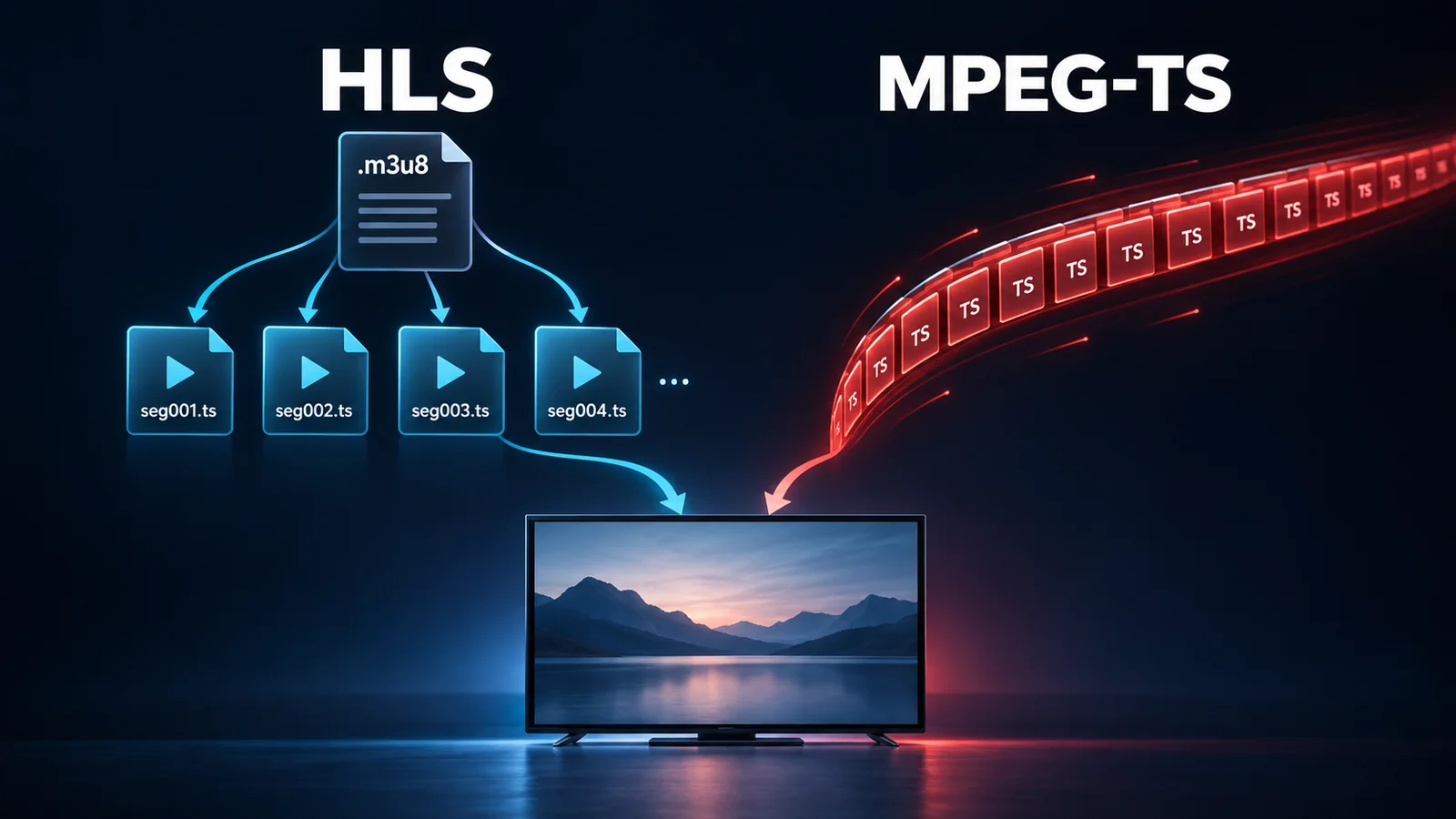
These are different technical categories: MPEG-TS is a transport/container format; HLS is an HTTP streaming protocol. HLS can carry MPEG-TS segments. In IPTV player settings, the choice usually means segmented HLS versus a continuous TS feed. That is the comparison below.
| Feature | HLS | Continuous MPEG-TS |
|---|---|---|
| Delivery method | HTTP playlists and media segments | Ongoing packetized feed, often over HTTP |
| URL/file indicator | Often .m3u8 | Often .ts; URLs can hide it |
| Latency | Traditional HLS often adds delay; LL-HLS differs | Can be lower with a small buffer |
| Buffering resilience | Segment retries and buffering can help | Depends on buffer and reconnection behavior |
| Adaptive bitrate | Only with multiple suitable variants | Not built into a single TS feed |
| Channel switching | Playlist fetching and buffering can slow startup | Can start quickly; keyframes still matter |
| Unstable Wi-Fi | Worth testing, especially with bitrate variants | Small buffers can expose interruptions |
| Live sports | Potential stability advantage at a delay cost | Worth testing when live delay matters |
| Browser/mobile compatibility | Broad support; native or a compatible web player | Usually needs a suitable app or playback library |
| Typical IPTV use | Internet live TV, mobile and on-demand delivery | Live feeds in dedicated IPTV players |
What Is MPEG-TS in IPTV?
MPEG Transport Stream packages compressed audio, video and timing information into packets. It has a long history in digital broadcasting. It is not a video codec: the pictures inside may be encoded with H.264, HEVC or another supported codec.
With a continuous MPEG-TS .ts stream, an IPTV player reads arriving packets, separates audio and video, buffers them and passes them to decoders. There is no requirement to wait for an HLS segment to be published. Startup can therefore be quick, although the player still needs stream information and a decodable starting frame.
Steady throughput matters because a small live buffer leaves little time to absorb interruptions. TS does not imply UDP or an absence of retries: a direct feed delivered over HTTP/TCP can retransmit lost network data. Those retransmissions still take time, which can empty the playback buffer.
What Is HLS in IPTV?
HTTP Live Streaming starts with a playlist, commonly ending in .m3u8. A media playlist identifies successive segments; the player downloads them and refreshes the playlist as live content becomes available. The playlist is a manifest, not the video itself.
Segments can contain MPEG-TS or fragmented MP4 media. Seeing a .ts request in a network log therefore does not prove that playback is using a continuous TS endpoint. RFC 8216's media segment definitions document both formats.
HLS does not automatically mean adaptive bitrate
A multivariant playlist, historically called a master playlist, can advertise different bitrate versions of the same program. A compatible player can switch between those versions as throughput changes. If the provider offers only one bitrate, or the app opens one media playlist directly, there is no lower-bitrate alternative to select.
Ordinary HTTP infrastructure can distribute and cache these media objects. That makes HLS useful across internet networks and CDNs, as Apple's HLS overview explains. It does not guarantee every provider has configured caching or retries well.
HLS delivery
M3U8 playlist → media segments → player buffer → TV
Continuous MPEG-TS delivery
Transport stream → player buffer → TV
HLS vs MPEG-TS for IPTV Buffering
Buffering happens when playable media runs out. The cause may be provider/source congestion, a server or CDN fault, the ISP route, insufficient bandwidth, Wi-Fi instability, packet loss or jitter. Player buffer configuration, format compatibility and decoder/device limitations also matter; a struggling decoder can look like a network problem.
Why switching can help
An HLS player can fetch available segments ahead of playback and retry a failed request while buffered video continues. With multiple variants, it may request a less demanding rendition. Switching can also select a different provider endpoint or a better-supported playback path in the app.
For example, a brief Wi-Fi interruption may exhaust a small TS buffer while a larger HLS buffer carries playback through it. That is a buffer and delivery difference, not proof that HLS needs less bandwidth for identical video. A TS player with sufficient buffering may also survive.
What switching cannot fix
If the upstream encoder stops producing usable pictures, both outputs may freeze. An overloaded source cannot be repaired merely by changing output format. HLS retries are useful only if valid media arrives before the player needs it.
Compare the same channel on the same device and connection, changing only the format. Record freezes, startup behavior and live delay. If both fail, use the IPTV buffering troubleshooting guide to isolate the fault instead of repeatedly toggling settings.
Which Has Lower Latency for Live TV and Sports?
A continuous TS feed can deliver media as it becomes available, avoiding the segment publication cycle of traditional HLS. An HLS player typically keeps some distance behind the newest available media to avoid running dry. Segment duration and that safety buffer can increase IPTV latency.
However, Low-Latency HLS supports partial segments and delivery mechanisms that reduce this wait. It requires compatible server and player behavior; choosing HLS in an app does not turn it on automatically.
Real end-to-end delay includes the source encoder, provider infrastructure, CDN/routing, network, player buffer and device processing. A delayed source stays delayed over TS. For a useful comparison, watch the same visible match clock or live event across supported outputs. Channel startup speed and distance behind live are separate measurements.
Does HLS or MPEG-TS Give Better Picture Quality?
Neither format inherently guarantees better image quality. Source quality, resolution, bitrate, codec, encoding settings, frame rate and HDR implementation determine the picture. Repackaging the same encoded video from continuous TS into HLS segments does not create additional detail.
A provider may nonetheless offer different encodes through each endpoint. An HLS player might also switch to a lower rendition to avoid a stall. If the image changes after switching, inspect the delivered resolution, bitrate, H.264/HEVC codec, FPS and HDR information before attributing it to the format.
A 4K label is not enough to establish the original source quality. Learn how to verify whether an IPTV stream is really 4K. When evaluating a flash 4k iptv stream, judge its encoded properties and playback behavior separately.
HLS vs MPEG-TS on Slow or Unstable Internet
A fast speed-test result does not rule out short throughput dips. Wi-Fi interference, competing downloads or mobile congestion can interrupt delivery even when average capacity looks adequate. Network stability can matter more than the headline download speed.
HLS with a usable bitrate ladder can trade detail for continuity. Single-bitrate HLS cannot make that trade: if sustained throughput remains below the stream's needs, any finite buffer eventually empties. Increasing the buffer may hide brief dips but usually adds live delay.
Where practical, compare Wi-Fi with Ethernet before blaming the IPTV stream format. If wired playback fixes both outputs, the home wireless link is the stronger suspect. Use the IPTV internet speed and bandwidth requirements guide for capacity planning.
HLS vs MPEG-TS for Live Sports
For live football on stable Ethernet, TS is worth testing when goal notifications arrive before the picture. On inconsistent Wi-Fi, uninterrupted HLS playback may be preferable to chasing the smallest delay. Compare performance during a busy match, when provider load may differ from an afternoon test.
Fast motion makes compression defects, dropped frames and stalls easier to notice. Frame rate, encoding and available bitrate affect motion quality; MPEG-TS does not make movement smoother simply by being MPEG-TS. Choose the output that balances IPTV live sports latency with reliable playback of the desired encode.
HLS vs MPEG-TS on TiviMate, IPTV Smarters and Other Players
You may encounter settings called Output Format, Stream Format or Stream Type. Availability and placement depend on the app version, playlist type and provider. Do not assume TiviMate, IPTV Smarters or a Smart TV app exposes the same control.
Xtream Codes-based connections may expose HLS/MPEG-TS output selection. This chooses how channel media is requested; it does not change the account or make unsupported outputs available. Our M3U vs Xtream Codes guide covers playlist and login differences.
- Note the current or Auto setting and choose a channel available in both formats.
- Check the app's playlist or playback configuration for a supported output selector.
- Change only that setting, save it and reopen the channel so a new request starts.
- Compare freezes, audio sync, startup and live delay; restore the original if results worsen.
If there is no selector, ask for a supported alternate URL. Renaming .ts to .m3u8 does not convert media. VLC can open supplied URLs directly, while Firestick, Android TV, Apple TV and phone apps differ in playback engines and codec support. See the best IPTV players guide for app context.
When Should You Switch from MPEG-TS to HLS?
Treat changing the IPTV output format as a diagnostic test, not a guaranteed repair. Keep the channel, device, connection and buffer setting consistent for the initial comparison.
- Try HLS: throughput varies, bitrate variants are available, or this provider/player combination reconnects more cleanly with segmented delivery.
- Try MPEG-TS: live delay matters, the connection is stable, or the player handles the continuous feed more reliably.
- Investigate elsewhere: both formats fail on the same channel, or switching output changes nothing across repeated comparable tests.
If only one output fails, report the channel, format, device and time to the provider. A stale HLS playlist or broken TS endpoint needs a server-side correction. If one output looks softer, check whether it is actually the same rendition before declaring a winner.
HLS vs MPEG-TS Decision Table
| Situation | Format Worth Testing First | Why |
|---|---|---|
| Stable Ethernet | MPEG-TS if delay is a concern | Continuous delivery can suit a small live buffer |
| Unstable Wi-Fi | HLS | Segment buffering may absorb brief interruptions |
| Live football/sports | MPEG-TS on a reliable connection | Compare actual live delay and stalls |
| Mobile connection | HLS with variants | Adaptation can help as capacity changes |
| Catch-up TV | Provider/player default, often HLS | Archive and seeking support matter more than live delay |
| General live TV | Auto/default | Change only to address an observed problem |
| Older device/player | Its documented supported format | Decoder and implementation compatibility come first |
| Fluctuating bandwidth | HLS with multiple bitrates | Single-bitrate HLS cannot downshift |
| Nothing currently broken | Leave current/default/Auto alone | A different label is not an upgrade |
How Stream Format Fits Into Flash 4K IPTV Performance
When assessing Flash 4K playback, follow the whole chain: source → encoding → server/CDN → internet route → home network → player → decoder → display. HLS or TS describes only part of that journey.
A format change may improve delivery without changing the picture, or expose a different rendition without fixing the network. Keep the setting that meets your needs on your actual device. Clear observations about where playback fails are more useful than assuming one output is universally superior.
Frequently Asked Questions
Is HLS or MPEG-TS better for IPTV?
Neither is universally better. Continuous TS can suit low-delay playback on stable connections; HLS can offer useful segment recovery and bitrate adaptation when variants exist. Keep Auto if it works.
Which is better for IPTV buffering: HLS or MPEG-TS?
HLS is worth testing on variable connections, but buffering depends on source health, throughput, player behavior and buffer size. A well-supported TS feed can be equally reliable.
Is MPEG-TS lower latency than HLS?
Continuous TS can have less delay than traditional HLS because it avoids segment publication waits. Low-Latency HLS and different source or buffer settings can change that comparison.
Does HLS have better video quality than MPEG-TS?
No inherent advantage exists. Picture quality comes from the source and encoding, including resolution, bitrate, codec, FPS and HDR. Different endpoints may supply different encodes.
Does HLS always use adaptive bitrate?
No. The player needs access to a multivariant/master playlist containing multiple bitrate versions and must support switching. A single-bitrate HLS feed has no lower rendition to choose.
Should I use HLS or MPEG-TS for live sports?
Test TS when lower delay is the priority and the connection is stable. Test HLS when interruptions are the bigger problem. Motion quality depends on encoding and frame rate, not the format label.
What does .m3u8 mean in IPTV?
It indicates a UTF-8 playlist file. In HLS, it describes media segments or links to variant playlists; it is not video itself. Its segments may be TS or fragmented MP4.
Can changing from MPEG-TS to HLS fix IPTV buffering?
Sometimes, if the alternative delivery path, buffer behavior or available bitrate variants address the cause. It cannot repair a broken upstream source or guarantee enough sustained bandwidth.